


There is a common misconception associated with the concept of time tracking at work, and that's 'micro-managing'. But today's flexible nature of the workforce, along with the infinite data generated daily, comes together with a greater responsibility of accountability. Can time tracking be beneficial for employees? The answer depends on the perspective. Employees majorly feel that tools used for time tracking, monitor their each and every move at work, but in reality, the tools bring freedom. To be able to work remotely at flexible hours is supported greatly by time-tracking tools, which make the efforts visible.
For the employers, too, time tracking tools bring the benefit of visibility, especially while managing remote teams. Managers can take help from time-tracking tools for keeping the projects on track to ensure that the work is done efficiently.
Time tracking is not solely about knowing the employee's break or login hours; rather, it's a different way of monitoring their progress and motivating a habit of committing to deadlines. When done right, time tracking can benefit both sides.
Time tracking – definition and importance
Time tracking is the practice of analyzing and recording how much time is spent on different activities and tasks. Users can record these details as a part of the team or individually. These tools, as mentioned before, are also suitable for analyzing what happens during both personal work and teamwork.
Employee time tracking can be used for:
- Better management of workflows with insights into productivity
- Enhanced allocation of resources
- Ensuring accurate processing of payroll
- Gaining a clearer visibility into the working patterns
- Generating fully accurate timesheets
For example, on a definitive day, you record attending a meeting for 2 hours. The organization can validate that record, IF NEEDED, by tallying the same with the records of the other team members.
Whether the user is a team leader who is trying to get the individuals on board with time tracking or an employer who is stressed about resistance, the key here is to openly discuss it. Time tracking without knowledge can easily be deemed as spying or creating unnecessary fear among the employees.
When thoughtfully implemented, time tracking can have a positive impact on the total organization. But what makes time tracking valuable worldwide is that organizations are adopting it.
Proquantic Software USA today will walk you through, with this guide on the:
- Advantages of time tracking
- Why is it crucial for every team
- How it can be used correctly
So that, by the end, both employees and the organizations clearly understand how time tracking actually works to the advantage of everyone.
So, moving into the next part of the guide.
Boost your team productivity with better time tracking
Empower your workforce with Proquantic’s intelligent custom time tracking tools, that improve accountability, visibility and delivery with lesser bottlenecks.
Call us today
Why is time tracking important for teams or organizations?
Time tracking is crucial for companies and teams of all sizes, particularly those that have distributed teams, as it offers detailed visibility into the time spent across departments, projects, and individuals.
With this visibility, the businesses can increase operational efficiency, make smarter decisions, and support their employees effectively.
- Here’s how time tracking benefits the organizations:
- Streamlined invoicing and accurate payroll
- Preventing burnout by identifying overwork
- Insights into productivity from the work pattern data
- Controlling the budget by tracking projects in real-time
- Accuracy of billing through the tracked project hours
In a nutshell, we can say that employee time tracking is a strategic asset for businesses that supports the latter for better, thoughtful planning, financial outcomes, and healthier teams.
Why is it crucial to track the employees' time?
Employee time tracking is crucial for ensuring accurate payroll and time sheets, meeting compliance and legal standards, which saves the business money and time. It is also crucial as it facilitates creating a more accurate project scoping and budgeting, helping the teams build transparency, trust, and prevent employee burnout.
Bosses and managers always stick to the age-old practice of asking the employees to fill out their time sheets every day or week. Trying to get everyone to fill their sheets on time can feel like herding rogue sheep at a certain point in time, and manually filling the time sheets can bring up excessive overtime, time theft, and dishonesty.
Well, these are just a few of the benefits of time tracking. Below are some more benefits of how time tracking can be leveraged by companies.
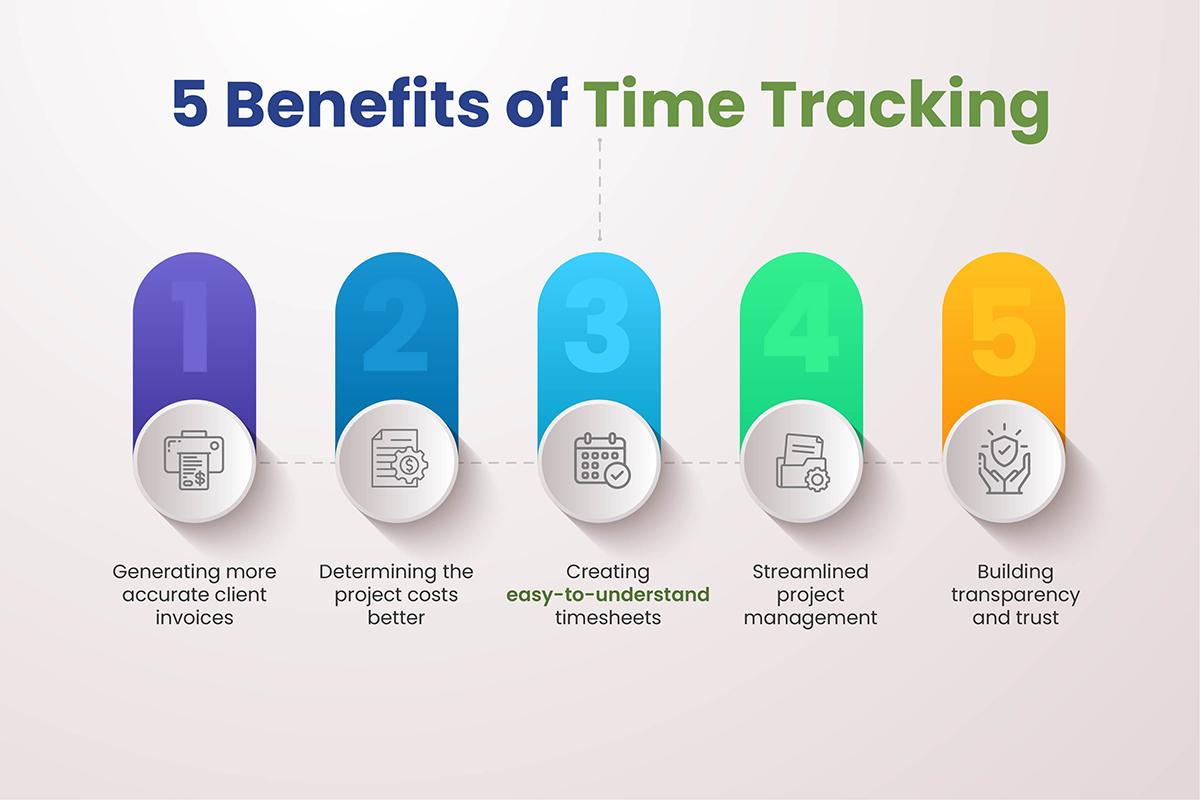
5 benefits of time tracking
When users commit to time tracking, the main benefit they enjoy is an increase in productivity. Being presented with how users spend time in black and white makes it impossible for them to ignore every minute wasted on irrelevant or unproductive activities.
Generating more accurate client invoices
Accurate time tracking is crucial in case the users are charged by the hour. Even a minute here or there daily can add to thousands of dollars ' worth of damage every year. In many cases, users might overcharge clients, face questions, or even lose their business rival. Time tracking helps in differentiating between the non-billable and billable hours. The tools highlight the amount of time employees spend on tasks that don’t improve the bottom line. Organizations generate accurate invoices with increased revenue.
Determining the project costs better
When organizations track time for a project, they begin to understand how long it takes to complete the different segments of the product and then the final product. Most importantly, they will know how long the users will require to generate quality work without feeling burned out or rushed.
For instance, a good web developer can create a website in a month. When a new client approaches and asks you to build a website in just ten days, you will know that it's not feasible.
Here, the result is a better determination of the project cost and timeline. Organizations will become better at predicting project timelines, budgeting, and resource allocation for the upcoming work.
Creating easy-to-understand timesheets for the hourly work hours
HR teams leverage time tracking tools for determining:
- How much time off employees have accumulated
- How much to pay them
- How long the employees have worked for
- Which employees have worked
Time reports are a crucial part of the working arrangement of any employee, but creating them can be extremely tedious for the employees who fill them in, and the admin team processes them. Ideally, users will be leveraging time tracking tools for automatically managing the entries, which ensures:
- Automation of legal compliance and payroll
- No time spent on manual time sheet entry or calculation
- Each employee gets fair and accurate compensation
Streamlined project management
When organizations begin to determine where the team's or employees' time is spent, project management takes a different course. Employee time tracking reflects on:
- Total time spent on a project
- Time taken by each task
- Which employee is spending time on which task, and how much time
As a result, the organization can easily spot inefficiencies and obstacles without the need for micromanagement. For instance, an organization can determine that a particular employee is taking twice as long to complete a task. As an entrepreneur or a manager, you will definitely get a glimpse into why certain employees take longer than usual to complete a task.
Building transparency and trust
Imagine a client who paid you $50,000 for an app development project, and the team that is involved with your organization consists of 5 employees, of whom are interns. To determine how the interns are learning as well as contributing to the project, tracking tools are the best option, which give you a detailed insight into their progress and journey.
The most popular time tracking methods
Explore the different types of time tracking that you can slide into your workflows:
- Manual: As the name suggests, organizations can manually track time for completing tasks. Employees can write down when they start a particular task and finish, and then add up the numbers at the end of the month, week, or day. The most significant benefit of this method is that it is free and easy, but time-consuming, and one can quickly get tired of navigating through the sheets.
-
Swipe cards: Swipe cards track employee time at physical locations and assess breaks, absences, and attendance. This is easy for the whole team to use as the system does not need training. It is a modern approach to the punch card system, but it still has some limitations, such as it cannot be used for tracking employees working remotely.
-
Digital: Time tracking applications like Toggl enable users to hit the button to begin a timer and again when the work is complete. Alongside saving time, organizations can also integrate the solution with other tools, automate the invoices, timesheets, and many more. This method enables the organizational team member to track the time on the go as well, which makes it great for remote teams.
-
Automated: Keeping an accurate activity record in one place turns out to be easy when every solution becomes automated. An application can simply assess the app, or the window the user keeps open, and break down the time entries. For instance, automated time tracking can tell the organization how much time is spent on Docker, Figma, Google Docs, or others. Such a method is ideal because it does not add new bottlenecks to the workday; instead, it breaks down the activities without manual work.
-
Mobile: In case the company has a distributed workforce across numerous locations, the employee can log their time through mobile devices. With the correct time tracking software, they can start the timer on their mobile and stop it on their desktop.
-
Geofencing: It is a great alternative to mobile tracking, which automatically tracks time when an employee enters or leaves a specific location. Administrators set up virtual walls, and when employees enter the premises, the app starts to track their time automatically. This method is immensely useful for businesses that work with field workers as well as remote employees who may not have access to a computer. For some, it may seem like some kind of surveillance.
-
Pomodoro: This time tracking system enables the employee to carry out focused bursts of productive work, for example, a straight stretch of 30 minutes and then a break of 5 minutes. The Pomodoro cycle enables employees to work without any distractions and take breaks or rest to prepare for another cycle. It is one of the many approaches offered in organizations that use custom time tracking platforms.
-
Time Blocking: In this platform, users can block a certain period of time for working on a specific set of tasks or a particular task without any interruptions. For instance, one might allocate a 1-hour block for responding to the e-Mails. It is great for the executives or employees who are mostly busy working on tasks that they can group easily.
The essential features of an efficient time tracking software
The features of efficient time tracking software depend on the organization's needs and goals. Any great time tracking software must have the following:
- User-friendly interface – The application must be easy to navigate so that the employees can adapt to it quickly.
- Must have integrational capabilities – Integration tools like payroll software, invoicing apps, and project management platforms save time for the team. Rather than switching back and forth between the applications, one can do anything in a single window.
- Real-time tracking – Organizations, team leads, and managers will get a bird's eye view of the team's work as well as performance, facilitating quick decision-making.
- Insightful reporting – Organizations and users must be able to generate an insightful and detailed report for each employee, project, and task. The reports are immensely valuable for the clients as well as the teams, as they can track progress, enhance productivity, and pinpoint the obstacles.
- Options for customization – Each team comes with its own workflows, processes, and stakeholders. The time-tracking solution must adapt to the unique preferences and needs.
- Data security – Data in the time tracking software must belong to the user only. It protects clients, employees, and businesses from any kind of unauthorized access.
TruTimer – an insightful tool to measure productivity
Proquantic Software USA’s TruTimer is one such tool that traverses beyond the basic function of tracking and also serves as a comprehensive platform for management. It's rigorously tested by our own teams across development, marketing, and sales.
What makes TruTimer a unique tool is that it's an internal solution – created by our own developer teams, which has been perfected over time, and right now, it's perfect for other businesses to benefit from it.
TruTimer offers a robust level of security as well as integration that other off-the-shelf software cannot provide, automatically positioning itself as the ultimate solution for businesses working both on-premises and remotely. Let's explore more about the solution:
How Proquantic came up with TruTimer
We were aware of the fact that businesses often face their employees’ lack of accountability. When the remote workers span across time zones, trust and profitability become crucial concerns. Who worked on what and for how long – TruTimer comes with the answer to both and more.
When the idea of TruTimer struck our developers' team, we visualized a product that would work as a new operating layer, offering audit-ready insights into our daily operations without hampering the pace of the teams. We did not aim to build just another time tracking tool, but came up with a role-aware, verifiable, and client-ready proof of work that stands up to all kinds of scrutiny across continents, vendors, and teams.
Built by an experienced software service company, TruTimer is a desktop + web tool for tracking productivity and time, which makes outcomes, presence activities across engineering teams, R&D, QA, Product Marketing, and Sales teams. In case you track internal utilization, manage vendors, and bill clients, TruTimer offers you verifiable proof beyond timesheets.
At the very core, TruTimer is a secure suite for tracking time, loaded with:
- Web dashboards for clients, finance, and managers
- Enterprise-standard security like client certificates, obfuscated payloads, and machine fingerprint
- Native integrations with TruTimer projects, Redmine, DevOps, Azure, Jira, etc.
- Deep reporting with PDF and Excel exports
- Real-time sync and resilient API persistence
- Lightweight desktop application for on-device tracking with Mac and Windows
Who can use TruTimer
- Scaleups as well as startups working with remote teams who need SAL visibility and airtight billability
- Product and engineering leaders who require a real-time update on project status without flipping through the spreadsheets
- Operations and finance teams that need to reconcile invoices rapidly and defend at every hour
- Agencies that need client-ready reports and role-based access
How TruTimer works
- Login for authentication – Enforced password complexity, secure session handling, and remember. Users work with a personalized dashboard.
- Track both offline and online work – The desktop application tracks optional screenshots, used applications, keyboard and mouse activity, and active time. Offline sessions automatically sync whenever the connection comes back. An idle modal safeguards accuracy, and a subtle flash reminder prevents non-tracking.
- See the record of the entire day at a glance – Managers can view the 24-hour timeline of a project, drill into the details of activity, and even filter by teams. Real-time statuses reflect working/offline/online.
- Reconcile, report, and share – Generate reports by custom range, week, day, or even month. Export to PDF or Excel and share role-based dashboards with clients for complete transparency.
Begin with TruTimer
With TruTimer, businesses can confidently concentrate on business innovation and growth, while the system handles accountability.
Whether you are a startup or an enterprise looking for a solution to optimize the flow of your project, TruTimer will fit every requirement.
Want to explore the product? Call us today and book a live demo of the dashboards, reporting suites, and timeline view.

Conclusion
Time tracking is all about enabling businesses to make the right call on deliverables, attain productivity, and manage resources. Time, as an investment, shapes the future, and achieving success in the future depends on how well it is utilized. Thankfully, time tracking tools like TruTimer by Proquantic Software USA keep the operations running efficiently, by enabling the businesses to identify areas of improvement in both project strategy and employee-wise.
Frequently Asked Questions about TruTimer Time Tracking Software
How do time tracking tools enhance the productivity of team?
Time tracking tools help organizations spot inefficiencies and determine where the time is taken. The insights encourage better accountability, planning, and focus on high-intensity tasks.
Is time tracking tools ideal for remote teams?
Definitely. The tools give the managers real-time visibility into employee progress while aiding the remote employees to manage workloads efficiently by maintaining transparency.
Can time tracking be deemed micromanagement?
Not when done correctly. The goal is never to monitor but to empower the teams with transparency on fair distribution of workloads and priorities.
What are the features I should look for in a time tracking tool?
Look for integrations, reporting and automation with the project management applications and convenience of use, the features that make time tracking tools seamless, instead of stressful.